


REVE Chat integration with osCommerce
Please copy all file to your osCommerce folder structure.
Enabling REVE Chat plugin
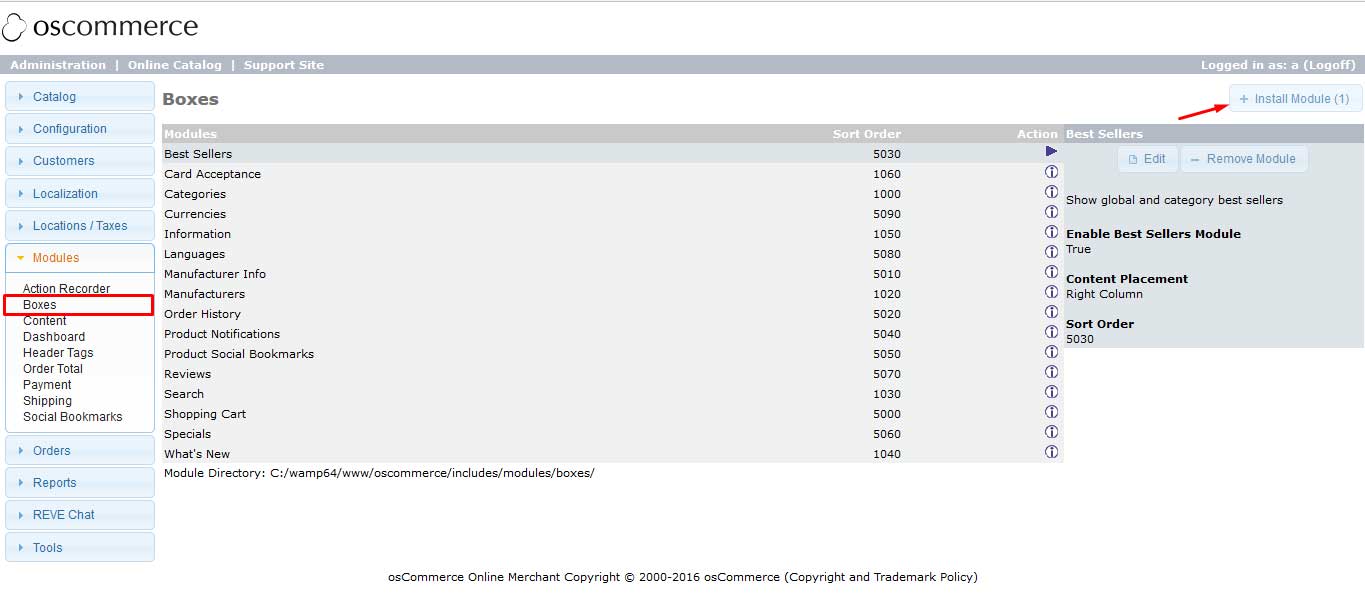
- Go to Module > Boxes form your dashboard. Click on ‘Install Module’ button.
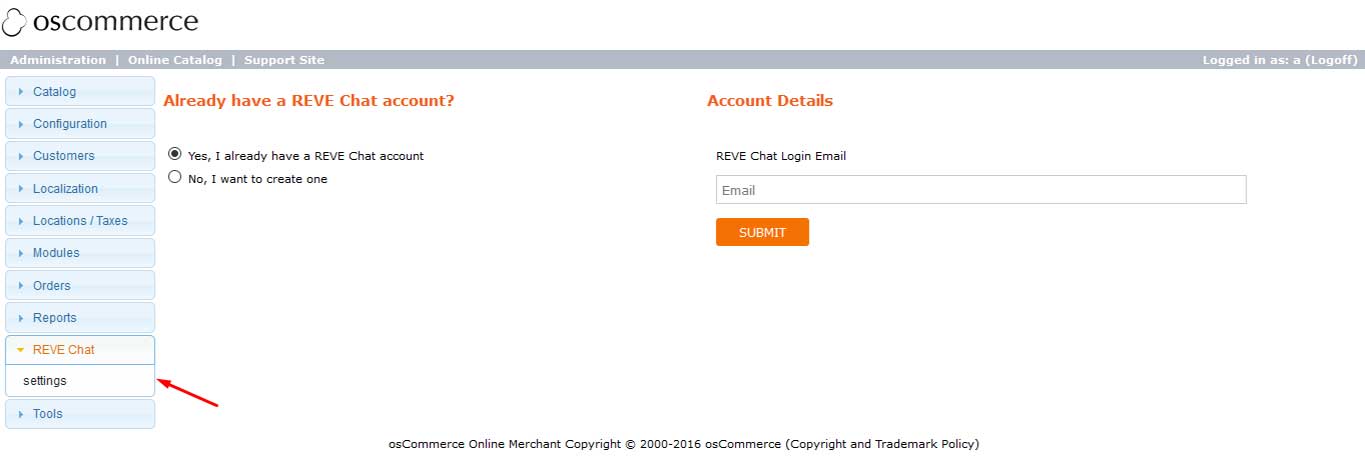
- Now go to REVE Chat > Settings and sign in to your REVE Chat account.
- After successful installation please visit the frontend of your site. This you will find REVE Chat widget here.